 NL
NL
Work faster.
Get started right away with ready-made templates. Prepared on the basis of NEN 1010, NEN 4288 and PGS 37-1. No set-up costs. No research work.


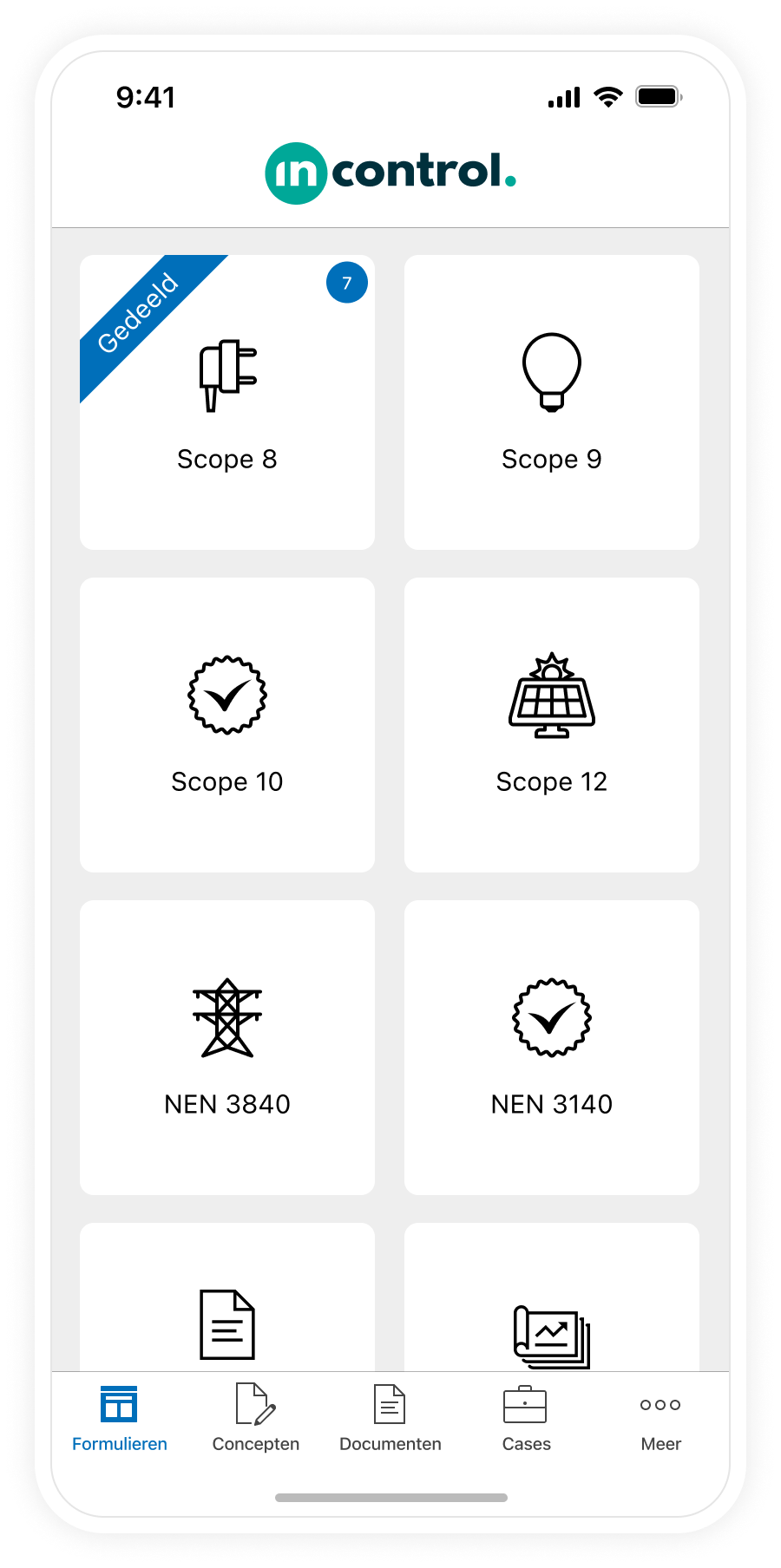


Get started right away with ready-made templates. Prepared on the basis of NEN 1010, NEN 4288 and PGS 37-1. No set-up costs. No research work.

Measurement data and photos immediately captured digitally. No transferring notes. The report is ready as soon as you complete the inspection.

The app guides you step by step through the inspection. Findings are classified in a structured way. Created photos you add directly from the app.
Get started right away with ready-made templates. Prepared on the basis of NEN 1010, NEN 4288 and PGS 37-1. No set-up costs. No research work.
Measurement data and photos immediately captured digitally. No transferring notes. The report is ready as soon as you complete the inspection.
The app guides you step by step through the inspection. Deviations are classified in a structured way. Created photos you add directly from the app.
Get started right away with ready-to-use forms that comply with NEN 1010 and PGS 37-1. Findings automatically go through to client and repairer. No separate tools. No emails back and forth.
Incontrol offers a complete digital solution for EOS inspections. From the initial inspection plan to the final report. All forms are ready to use and prepared in accordance with applicable standards. You don't have to build anything yourself. You start immediately and report professionally. Inspector, client and repairer work together in one platform. Every step is traceable. Every proof is demonstrable.
%20(1).webp?width=860&height=923&name=Overzicht-van-inspecties-op-Incontrol.FIX%20(1)%20(1).webp)
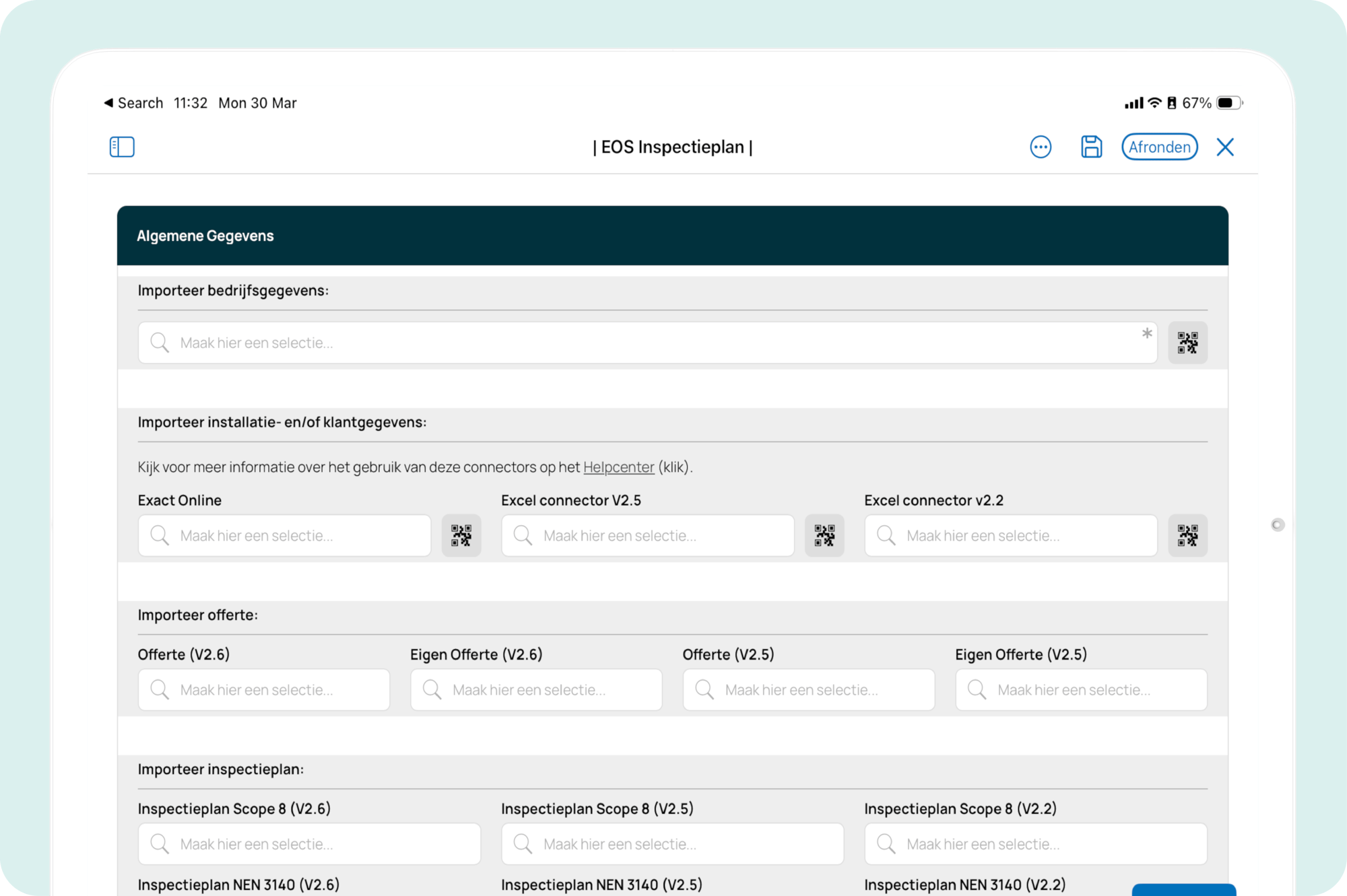
An EOS inspection begins with a clear inspection plan. The location, type of energy storage system, capacity and normative framework. The inspection plan serves as a guide for implementation and ensures that both you and the client know in advance what is expected from the inspection. Although each installation is unique, the plan provides a standardized basis that makes the inspection objective and repeatable.
With our ready-to-use EOS inspection plan, you get started right away. Once approved by the client, you import all the data into the inspection report with one action. You enter the installation data only once. This saves time and prevents errors in the transfer from plan to report.
Once the inspection plan is approved, you start the inspection itself. You inspect the battery or battery system visually and through measurements. In the visual inspection, you assess the housing, arrangement and safety distances. You also determine whether the correct protective measures and documentation are present. Through measurements you test the technical condition of the installation: insulation resistance, protective devices and overload protection are checked in accordance with NEN 1010 and NEN 4288.
Findings are classified according to priority: serious, serious or minor. This way the client immediately knows what needs to be taken care of first. Findings are immediately recorded in the app, including photos taken on site. Are there observations? Then these are automatically transferred to Incontrol.FIX, so that the repairer can get to work immediately without manual transfer.

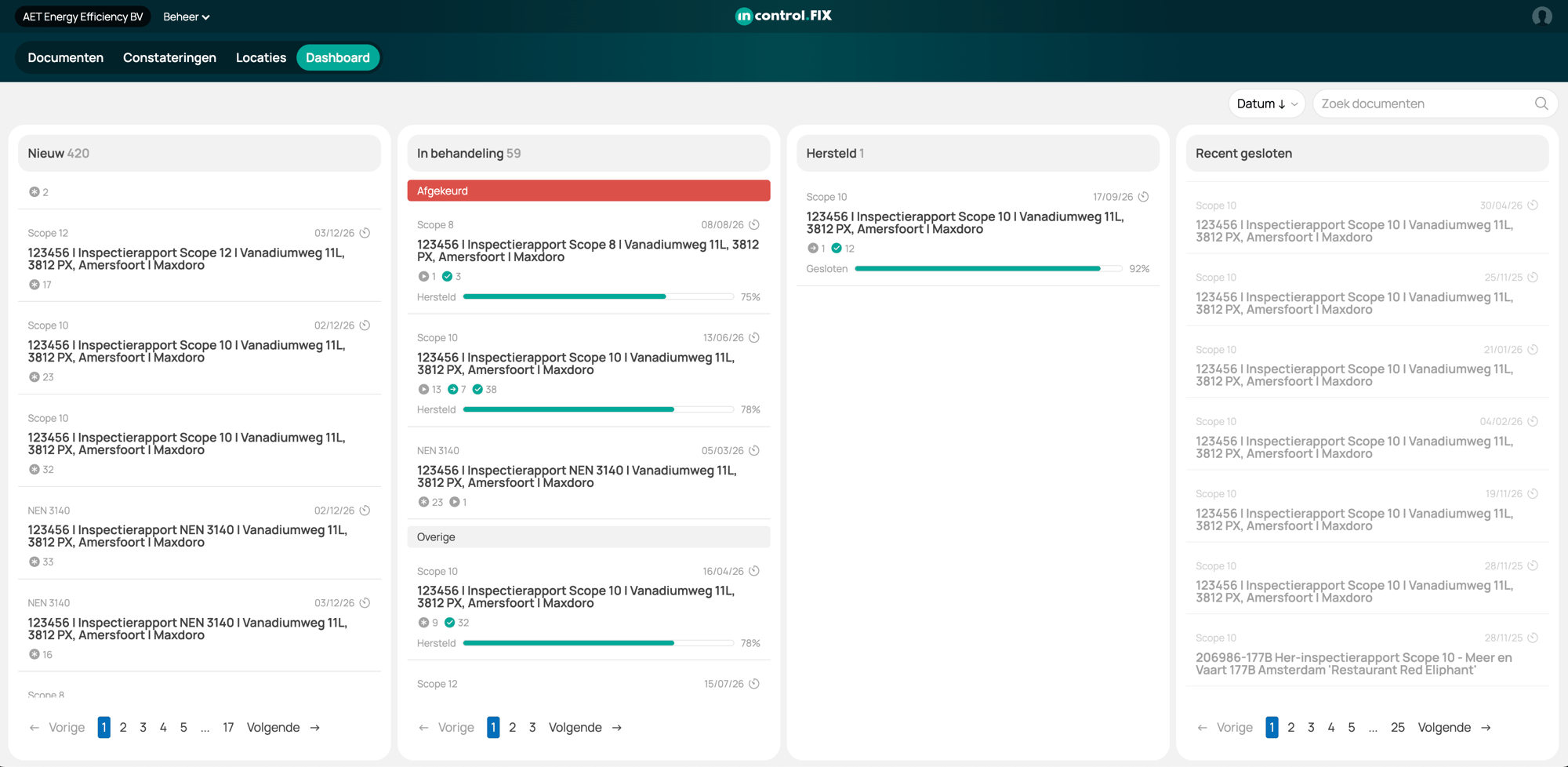
After the inspection, detected discrepancies automatically go through Incontrol.FIX to the repairer. The repairer immediately sees which work is open, performs the repair and records the completion in Incontrol.FIX. So the repair takes place directly in the flow of Incontrol.FIX. You then perform a reinspection to assess whether the deviations have been properly corrected and the installation meets the set standards.
Incontrol automatically integrates the measurement values from the first inspection into the reinspection report. The original and new measurement values are clearly displayed side by side, so that remediation can be demonstrated immediately. With the ready-to-use forms for reinspection, you avoid duplicate actions and the entire process is streamlined and fully traceable.
Finished inspecting? Sign the report digitally immediately. With one action you send the EOS inspection report in your own house style to your client.
Tight, professional and settled immediately.


Templates in accordance with NEN 1010, NEN 4288 and PGS 37-1. Continuously updated (e.g. as soon as standards change).

ISO 27001 certified, AVG compliant and NIS2 compliant. Built for high-risk environments.

Inspectors using Incontrol are successfully audited by Kiwa and Bureau Veritas.

Capture photos on site, edit them and automatically add them to the report.

The only inspection software in the Netherlands with native iOS and Android apps. Anytime, anywhere.

Legal digital signature, directly on site and sent immediately.
Templates in accordance with NEN 1010, NEN 4288 and PGS 37-1. Continuously updated (e.g. as soon as standards change).
ISO 27001 certified, AVG compliant and NIS2 compliant. Built for high-risk environments.
Inspectors using Incontrol are successfully audited by Kiwa and Bureau Veritas.
Capture photos on site, edit them and automatically add them to the report.
The only inspection software in the Netherlands with native iOS and Android apps. Anytime, anywhere.
Legal digital signature, directly on site and sent immediately.
The e-hub is the community for and by e-inspectors. This is where inspectors, clients and installers keep each other informed. Also about new inspection regulations, such as EOS.


An EOS inspection is an on-site technical inspection. An independent inspector checks that the battery or battery system is installed and operating safely and in compliance with standards. Both visually and through measurements. Findings are classified by priority and recorded in a professional inspection report. Recovery is followed up via Incontrol.FIX.

Have you recently had an energy storage system installed and want to have it inspected? Then schedule an appointment for an EOS inspection. An inspector will come by on the agreed upon day and time to inspect the system. In the step-by-step plan below, we'll show you how an EOS inspection works, so you know what to expect.

The cost depends on the size and complexity of the installation. Get a quote from a specialized inspection company that works with Incontrol.
Factors that determine the price:


"With the Incontrol app, we can easily add photos in the report and the formatting is preserved. This saves us a lot of time and we always have a nice inspection report. "
Freerk Speelman